
Apps
Peloton tips and tricks: How to make the most out of your workout
There’s more to riding your bike than meets the eye

Fitness is about developing routines and forming habits, so don’t get stuck using just a portion of your bike’s potential! If you’re new to Peloton and are looking to getting the most out of your bike, or already on your 100th ride, we’re sure you’ll find something useful in this list of tips and tricks.
To get us started we interviewed Peloton Instructor Irene Scholz to find out what her top tips are for getting the most out of your bike.
Peloton is more than just a bike

Yoga, sleep, strength training — Peloton has it all. Add in another form of exercise when your legs get tired or you can’t bring yourself to get on the bike. Think about forming a holistic workout plan based on the hundreds of classes Peloton has to offer. If that sounds overwhelming, just try out something new: dance cardio or some chair stretching or learn to use that foam roller you bought at a garage sale 5 years ago. You’ve got so much more at your fingertips than just a spin class. Explore it!
Do an FTP Test Every Month
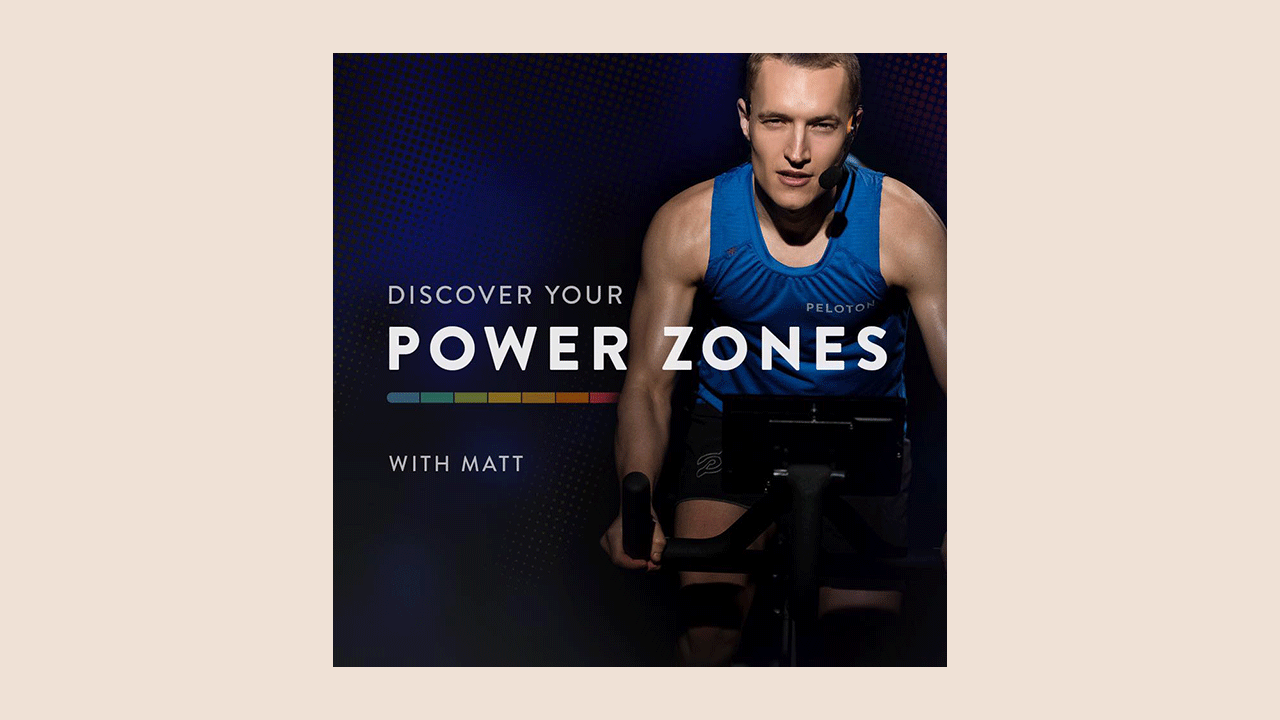
FTP stands for “Functional Threshold Power” and is typically described as the output one could sustain for around one hour. The goal of the 20 min FTP Test is to record your highest average power for 20 min. It’s important to warm up, and warm up in the same way when you take the test again. You should take the test once a month to track your progress.
The added bonus is that it updates your FTP stats so when you’re taking a class you know what zone you’re aiming to train in.
Stretch. Every. Single. Time.
Stretching if the most important part of the workout. You become more prone to injury and tighter on your next ride if you don’t.
Check your set up, even if you’ve been riding your bike a while

Follow the intro videos about setting the seat height and depth, and know that one of the most common setup errors that go unnoticed is that people don’t have the seat high enough.
Here is a video of our favorite German Instructor, showing us how properly set up your bike, in English of course.
Change instructors

As you get in better shape your preferences will change over time, someone that you might not have liked when you first started could be your new favorite.
Do a beginner class
Even 50 rides later, I went back and learned a few things about form I had overlooked.
Check your form every time the instructor tells you to
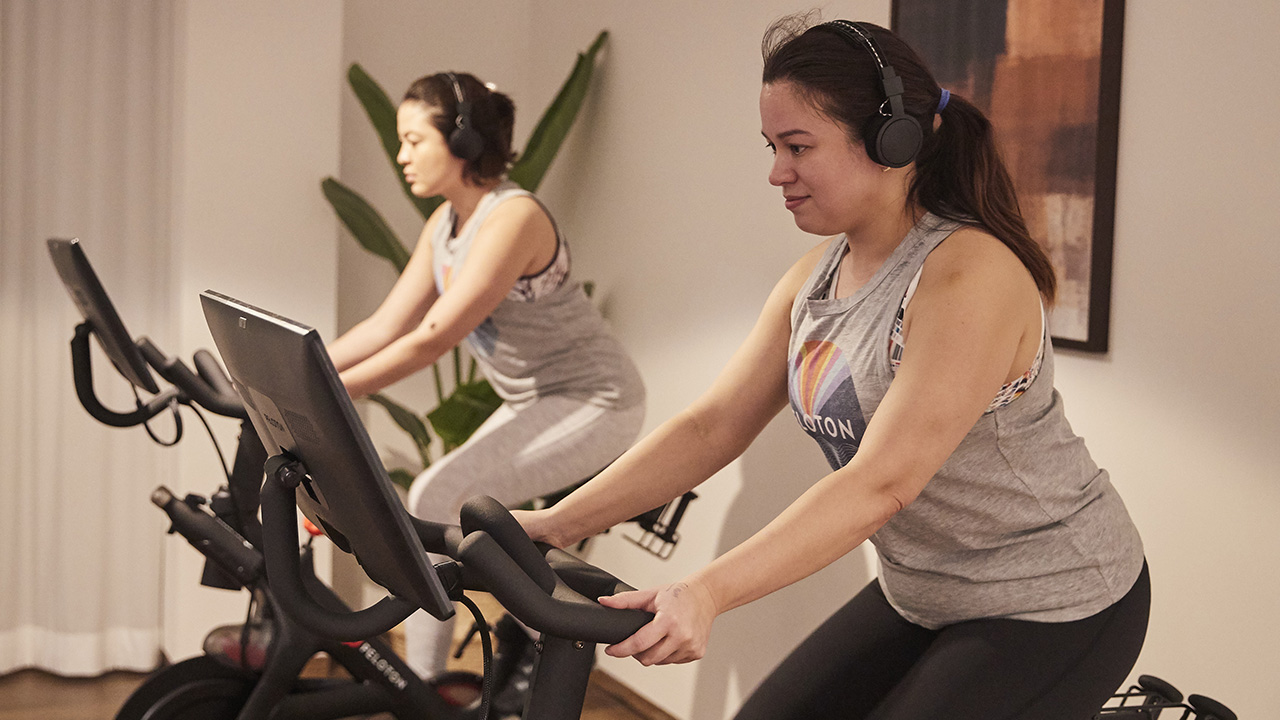
After coming back from my wrist injury I consciously corrected my form every time they told me to, and it feels amazing each time I actually had to make adjustments.
You’ll find that some instructors do things to check their form, but don’t tell you to check yours. Whenever I see Denis lift and wiggle his fingers and lift his wrists, I do it, too. No instructor will have perfect form, but they’ll all do things unconsciously to check in on themselves.
Stop your knee from turning the resistance knob
This means you’re too far forward. Hitting the red knob whether you’re in or out of the saddle means you’re sinking into your joints, and you end up putting weight into your thighs or arms instead of engaging your core. The solution? Push your hips and booty back so your weight is right over the saddle.
Just like real life, there is no pause button

Accept it, there is no way to pause classes. Stop looking. If you drop your water bottle or the doorbell rings, you can’t pause the ride. People have been asking for it since the bike launched but Peloton wants to keep the rides honest. If you take a break you’ll be fresh.
Schedule a workout with a friend

Similar to a live class, Sessions is another way to work out together with other members. On the Peloton app, you can schedule any ride or run that’s 20-minutes or longer, then send an invite to your friends so they can join you in that class. Think of it like an Encore class, which is a class that is not live, but the people in the ride are all starting it at the same time.
If you’re like me who is not very organized, you’ll also see all the latest rides or rides people have selected that are available starting every five minutes at the top of the classes page.
If you’re competitive and using the leaderboard to push yourself, these rides are perfect to have real people to compete against.
Skip the intro
Peloton finally added a feature to skip the 1min opening dialogue! You’ll find the button on the top left hand corner of your screen at the start of the timeline.
Are you pulling up on the pedals?
Pushing down on the pedals happens naturally. Focus on lifting the opposite foot so you engage your hamstring and glute muscles. It will also increase your output. If you’re going after a personal best, you’ll get more out of your stroke if you’re using your quads on the front of your leg and your hamstring and glutes on the back.
Watch your grip

How tight are you holding onto those handlebars? They’re there for stability, not support. Relying on them to support your weight takes away the core and quad work you’re after. Flutter or flex your fingers during the hard parts to check in on form throughout the class. We do it a lot during sprints out of the saddle.
Double tap the screen
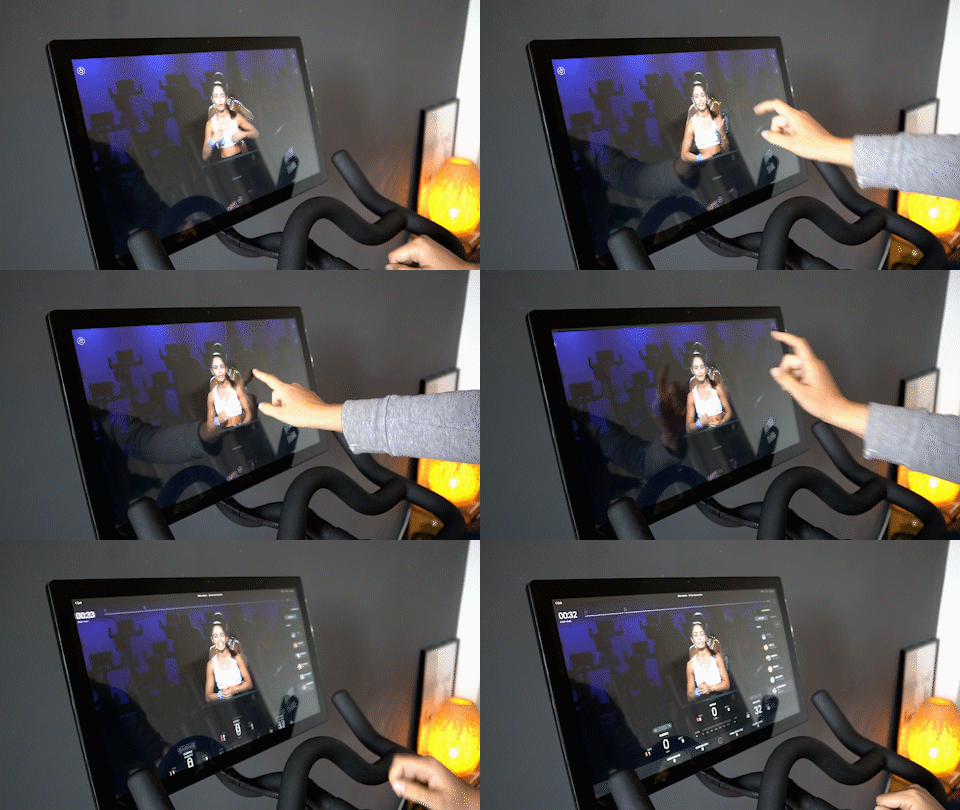
If you want to get rid of the progress indicators, leaderboard, music and high fives, double tap the screen. If you do it again, it will bring everything back. I find this useful when I throw my towel down and I hide something I want to see. Rather than trying to tap a specific button, I just double tap the screen a few times.
Listen to the songs you liked even after the ride
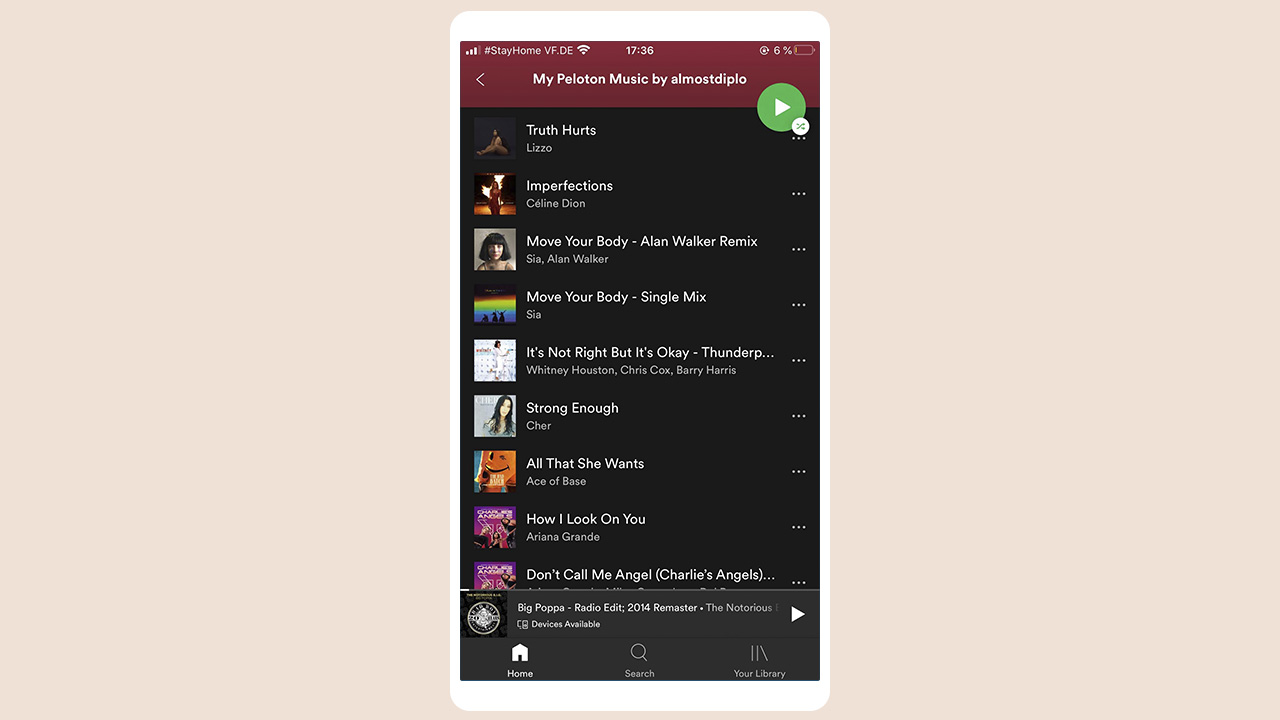
Ever wondered what happens to all the songs you liked during a ride? If you connect your Spotify or Apple Music accounts, every song will be added to your playlist! When you do, you’ll see a playlist called My Peloton Music by (username).
How to connect Peloton Music to your Spotify account
Go to your profile on the Peloton Bike and select “Music” on the left navigation column. This page will show a list of all songs you have saved during your workouts.
From the “Music” tab, click the “Connect” button on the top right of the page to link to your Spotify or Apple Music account. Enter your Spotify or Apple Music username and password, and agree to the terms to proceed.
In your Spotify player, open “Your Library” to view your playlists. A new playlist titled “My Peloton Music” should appear in your playlists. If it does not appear, simply refresh the Spotify player by closing and reopening the app or you might need to scroll down through your playlists to find it.
Lower the instructors voice

If you have classes where you loved the sound track, save them and then choose to have more music and less instructor. It’s amazing how much having motivational music blasting helps. Hit the volume button on the right hand side of the display and on the touch screen change the mix. Note that you have to do it each time as it always resets back to an even mix of music and voice.
READ MORE: 5 best workout apps to try at home
Try more short classes
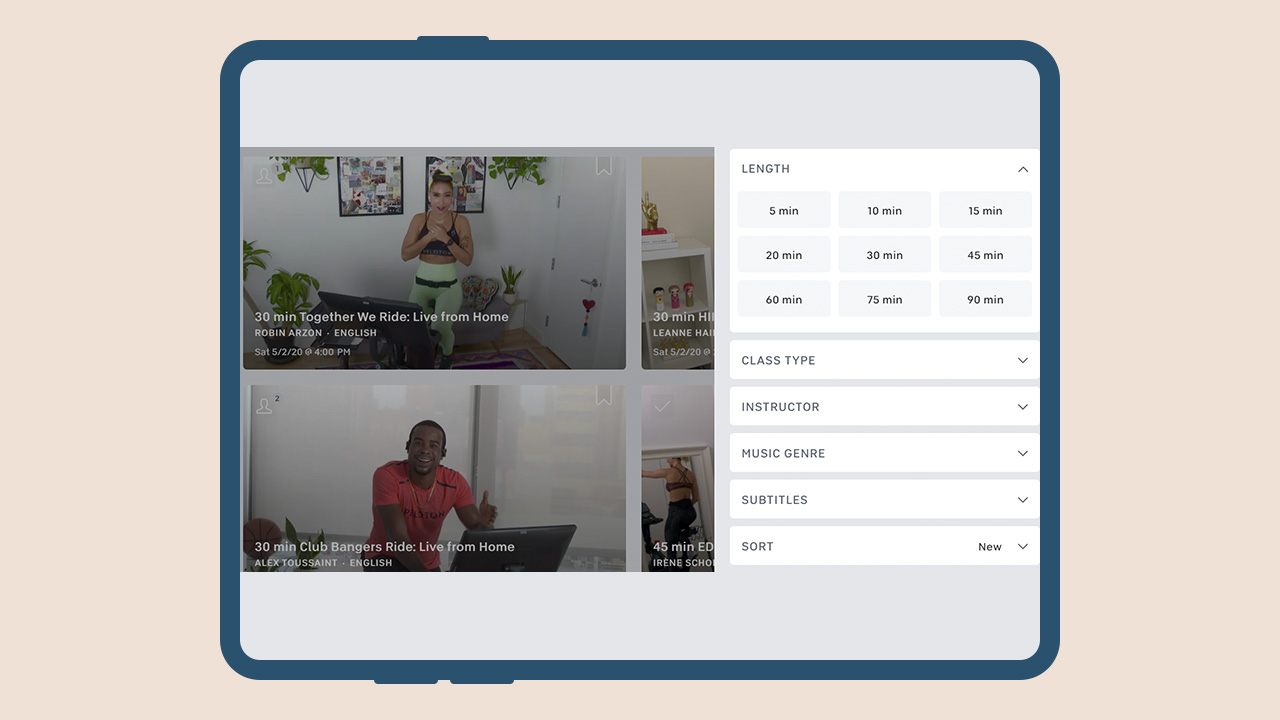
Opting for multiple short classes in a day instead of long ones will also lead to getting your milestones earlier. Once you reach a milestone stage — 50, 100, or any other rounded up number, opt for a live ride. You might just get that shoutout!
The bike gets a lot of attention but the app is a treasure trove

Beyond spinning, you’d be pumped to discover all the other classes available in the app. There are yoga, pilates, and barre classes. There are strength-training classes and boot camps. There are even five-minute cardio classes for the whole fam. I also love that there are meditation classes so I didn’t have to continue my subscription on another app.
Pro Tip: Save time by bookmarking your favorite classes in the app on your phone so you can easily find them on the bike tablet later.
How to get a shout out
Take an early class – If you’re taking a live class in Europe before the US wakes up, there will be less people in the class. That way, your chances of getting a shoutout increase and to grab the top spot on the leaderboard.
Take a live class. This may be obvious to most but if you’re new to Peloton it may be unclear. The instructor can only give you a shoutout if you are on with them in real-time.
Have an easy to read leaderboard name. If your name is long, has a lot of numbers or no capitalization, it can be hard for an instructor to spit it out while leading a class. If you’re willing to alter your Pelo-identity, try to use real words or phonetic spellings so it is easy to read and to say. And yes, you can change your name without losing all your stats.
Join class early. Live classes usually start 3 or 4 minutes prior to the recorded session and “when the lights go down.” During this time instructors casually chat with the people in studio. They also scroll through the leaderboard to see who is on and give quick shout outs. It might not quite be the same as getting it during that final hill but it is nice to know they see you and it can give your entire workout a boost.
Ride on your birthday. Make sure your birthday is set in your profile.
Toe clips are great! For your friends…
I made the mistake of getting toe clips instead of shoes. I made this choice not because I was being cheap, but because I wanted to share the joy of Peloton.

The problem with using toe clips instead of real shoes is that you can’t pull up when you’re bringing your foot around. I’m not a cyclist so I didn’t think that these things mattered. After a few months I decided to get the shoes and it made a huge difference! If you want to increase your output and workout your whole leg, you need the shoes.
I’ve gotten good at clipping and unclipping the toe clips. The first time it took 30 minutes, now it takes just 30 seconds! I still suggest buying them if you have friends sharing your bike they’re worth every penny.
Make clipping out a little easier

What I learned about installing the toe clips is that you have to loosen one of the screws. I also noticed that if I forgot to tighten it, it was really easy to unclip. It takes practice to snap your foot out in a single graceful movement. Cheat a little, loosen the screw. The disadvantage to doing this is that when I’m standing and have my full weight pushing and pulling on pedals I hear a creak. You need to twist your ankle out at a 90 degree angle out from the bike. I’m never in danger of my foot unclipping, but it sounds like I need to tighten things up a bit, which I do.
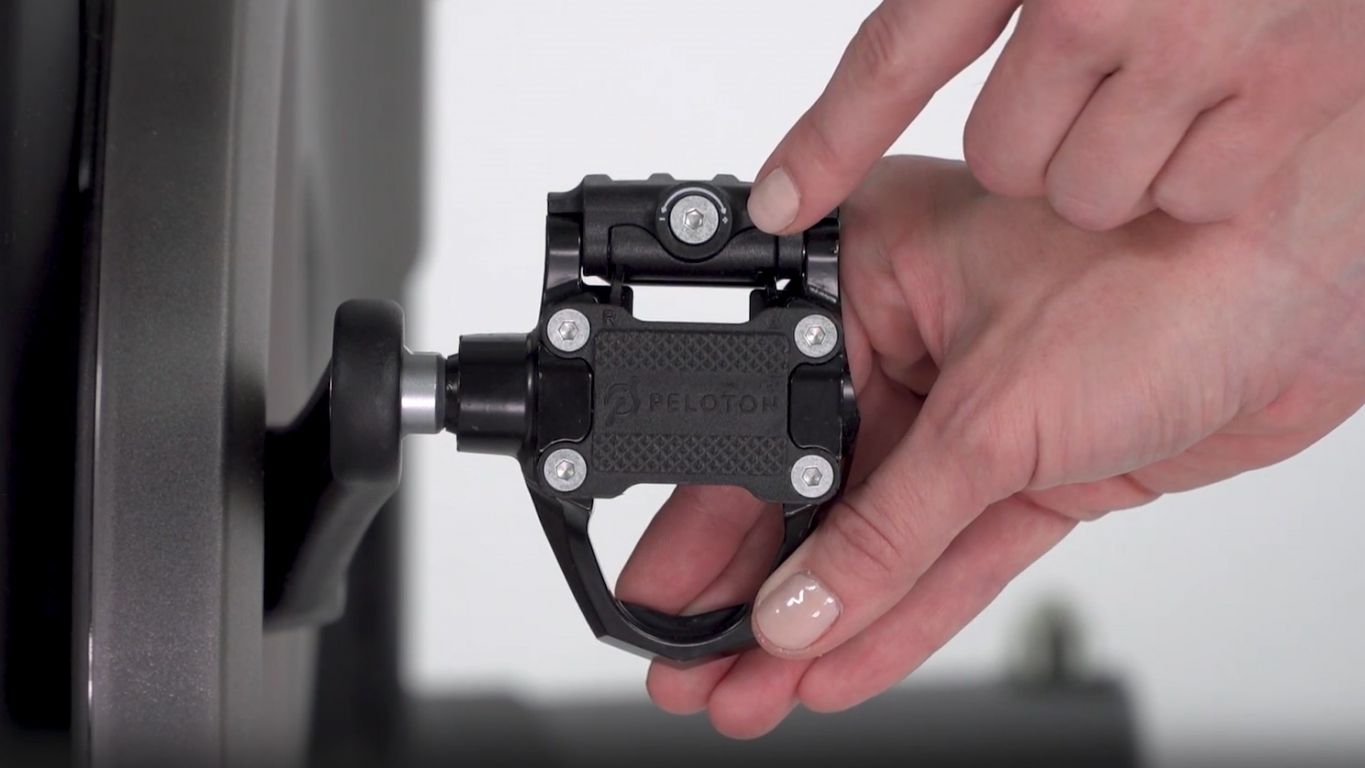
Don’t loosen your pedal too much as you’ll risk damaging it.
Understand the types of rides
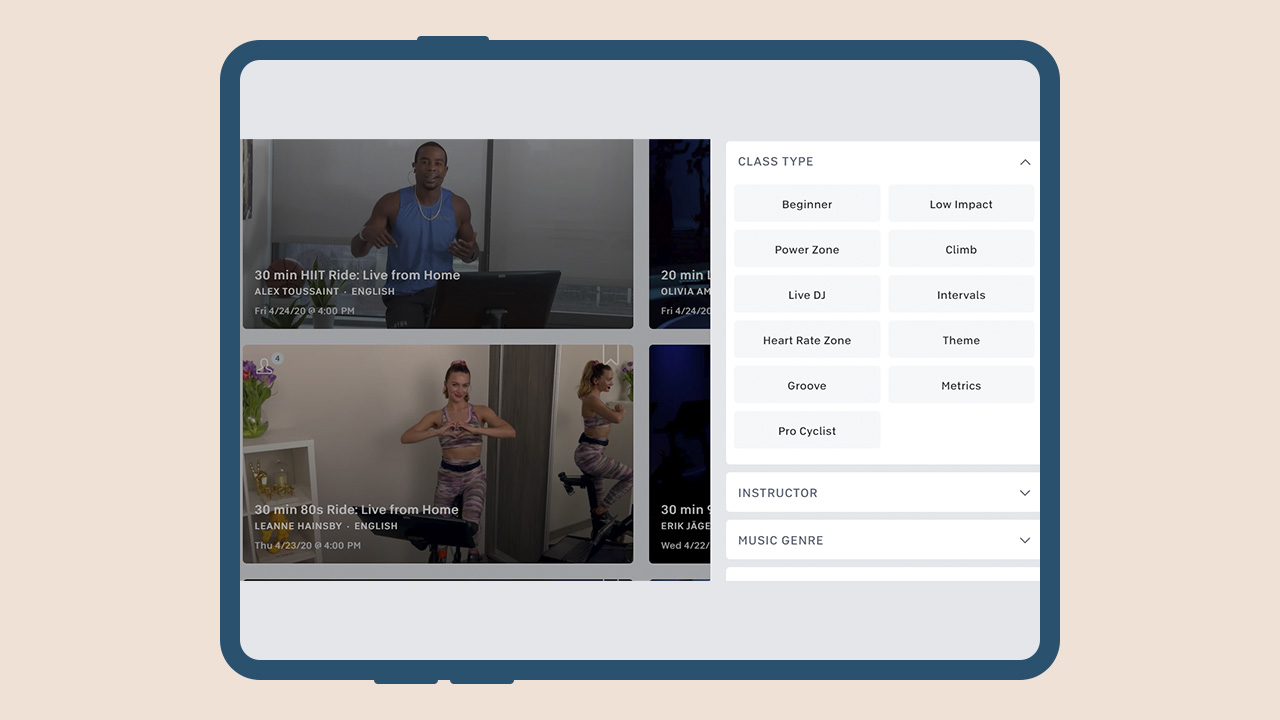
If you’re new to Peloton, some of the terminology and slang used will probably be confusing. Here are some basic ride types to get you started:
Low-Impact. This doesn’t mean low effort, but in general it means that the cadence won’t go over 100, the resistance won’t go over 50, and there will be little or no “out of the saddle” sections (i.e. standing).
Groove. This type means less cadence dictated by the instructor and more based on riding to the beat of the music. It can also sometimes include more movement on the bike. When people ask, “what ride is more like Soul Cycle?” this is one of the frequent answers.
Live DJ. This means exactly what it says: a live DJ is in studio mixing songs and helping to drive the class. These are fun when the DJ and the instructor have a good rapport.
HIIT. High intensity interval training or HIIT is a series of intense periods followed by a quick rest period. PRO TIP: avoid doing this as your first ride.
Tabata. This is a type of HIIT ride, but it follows a specific pattern. The classic Tabata pattern is 20 seconds of effort followed by a 10 second rest. I think “Tabata” translated means sweaty; or death.
70’s / 80’s / Y2K / Classic Rock / EDM. These are rides based on the associated genre of music, and it’s not limited to these. There’s country, jazz, broadway, etc.
Power Zone. Based on your calculated Functional Threshold Power, these rides direct you through seven different zones of output from “Very Easy” to “Max Effort.”
Call a Friend
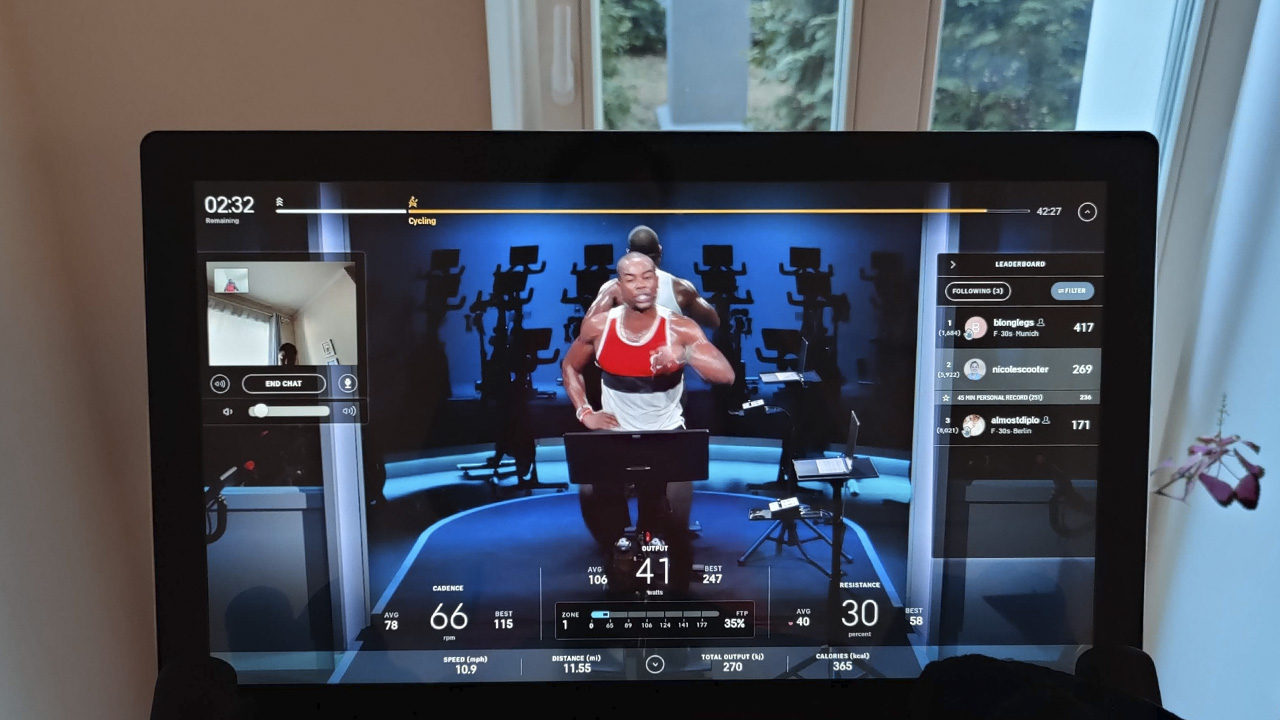
If you’re wondering what the 5MP camera on the bike is for, during a live ride you can do a call with a friend. But first, you have to be friends on Peloton. In your profile settings, go to social, then enable video chat.
During a live ride, invite friend to ride at the same time. Click on their name on the leaderboard and an option to call them will appear. This will activate the camera located on the top part of your screen. A small window showing their video feed will appear on the instructor’s right. Now, you can see each other as you ride, talk (if you can) in between each pedal stroke, and enjoy milestones together — virtually, of course.
Fair warning: make sure to only use this feature with good friends because that angle is not flattering. There are only so many people that I would let watch me die during one of Irène Scholz’s rides.
Did we miss any tips or tricks? Let us know in the comments!
— with additional tips from Carol RH Malasig
If you’re keen to try reading this in German, visit Mobile Geeks!
This article was originally published on May 4th, 2020. It has since been updated to reflect Peloton updates.


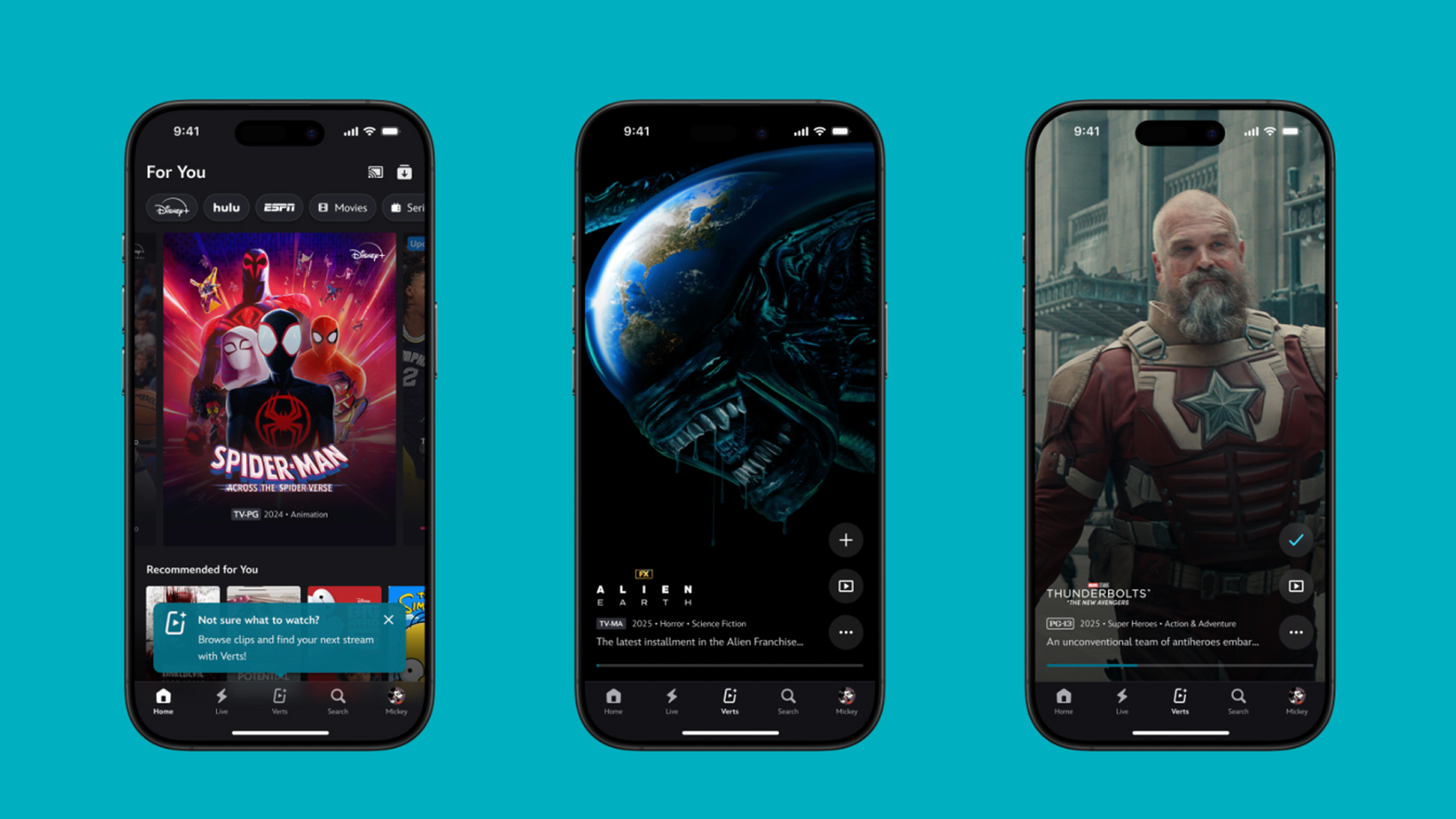
TikTok has changed how we consume media. Everything is now vertical. Even the most established streaming services, often a bastion for traditionally horizontal content, is adopting the different format. Now, Disney+ is getting a vertical feed called Verts.
Like its contemporaries, Verts presents a continuous feed of content but tailored to show the plethora of titles from the Disney+ library. This might include the first scenes of shows or notable highlights. The hope, of course, is to direct users to the longform content.
Directly from the Verts feed, users can easily add the respective title to their watchlist or go straight to the title’s page. In turn, the feed is accessible from the homepage since it has its own tab.
According to Disney, early experiments with the feature have driven engagement to available content. Right now, the feed is mostly for clipping enticing content from shows. However, the platform will experiment further with the format for new ways to tell stories.
Though Verts surely stands for “verticals” in this case, “adverts” might fit better as its full government name. Still, it might be a useful tool if you’re figuring out what to watch for the night.
Currently, Verts is available for Disney+ subscribers in the United States. Disney also has plans to expand the feature to ESPN for sports-related content.
SEE ALSO: Live NBA action on Disney Plus now available in the Philippines
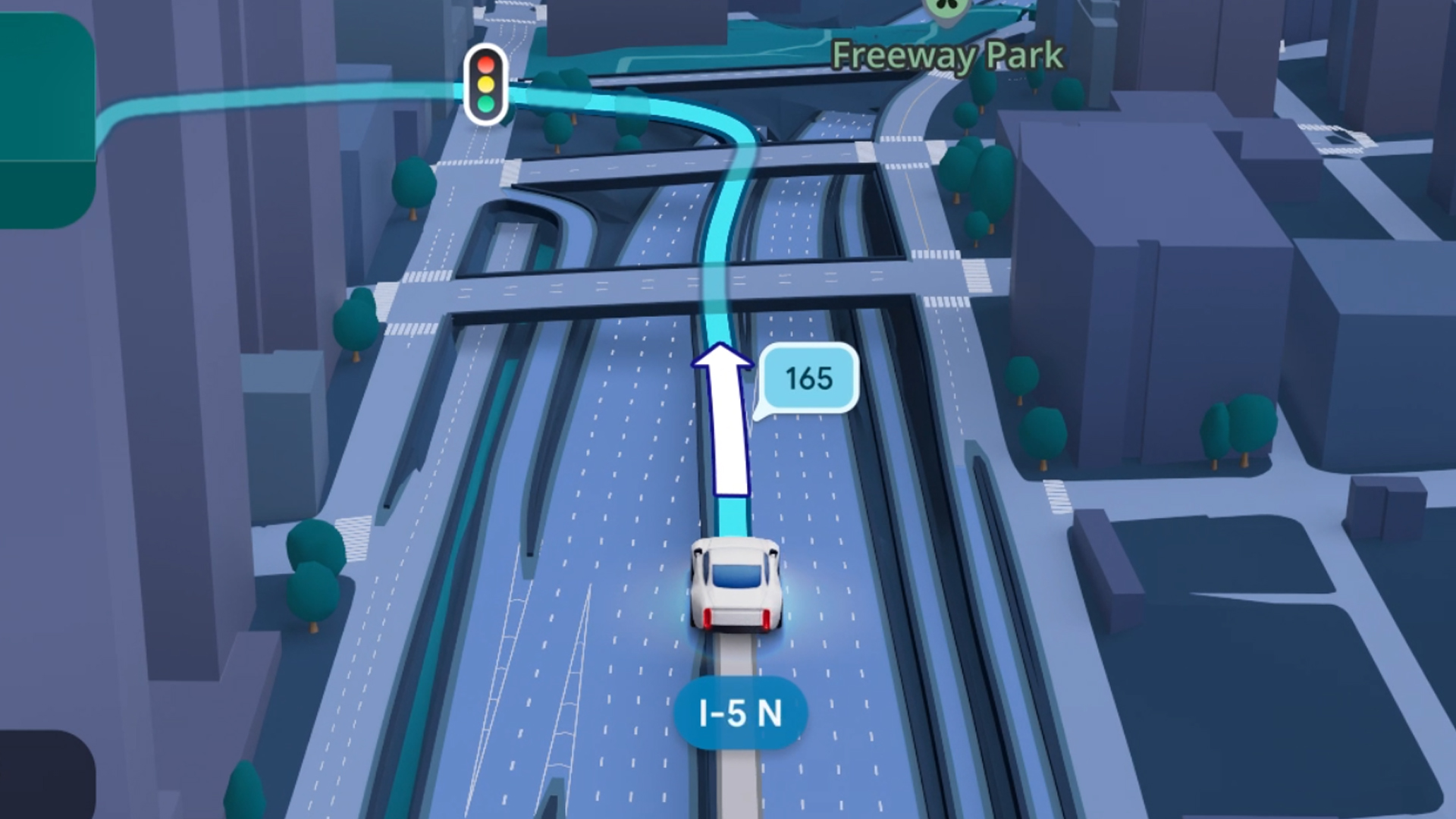
Some of today’s navigation apps are living in the future. Instead of a two-dimensional map, these apps render the user’s surroundings in 3D. It’s a nifty upgrade that helps drivers more accurately visualize directions on the fly. Finally, Google Maps is getting a much-needed upgrade and will take navigation to the third dimension.
In a new update rolling out today, the new Immersive Navigation feature will bring your surroundings to life. The 3D view creates a render of the surrounding buildings, overpasses, and terrain around the car. It takes the guesswork out of navigation by showing precisely where to turn and what landmarks to look out for.
In the same vein, you can now use Street View to preview your destination before you arrive. Google Maps will also highlight your destination’s entrance, side of the street, and nearby parking.
Outside of how the map is visualized, Google Maps is also infusing its service with Gemini. The new Ask Maps feature will let you engage with the app in a conversational manner. For example, if you’re in the middle of a long drive, you can now ask Maps where the best place is to stop over and have a coffee break. Ask Maps will provide directions, a potential itinerary, and even helpful links to book a reservation ahead of time.
Now, availability for both of these features is still a bit limited. Immersive View is rolling out today to compatible devices and vehicles in the United States. Further, availability will expand over the coming months.
Meanwhile, Ask Maps is available now in the United States and India for Android and iOS. A desktop version is coming soon.
SEE ALSO: Google Maps is finally getting a power saving mode
Apps
Apple Music, TikTok launch Play Full Song, a new music discovery experience
Rolling out worldwide exclusively through Apple Music

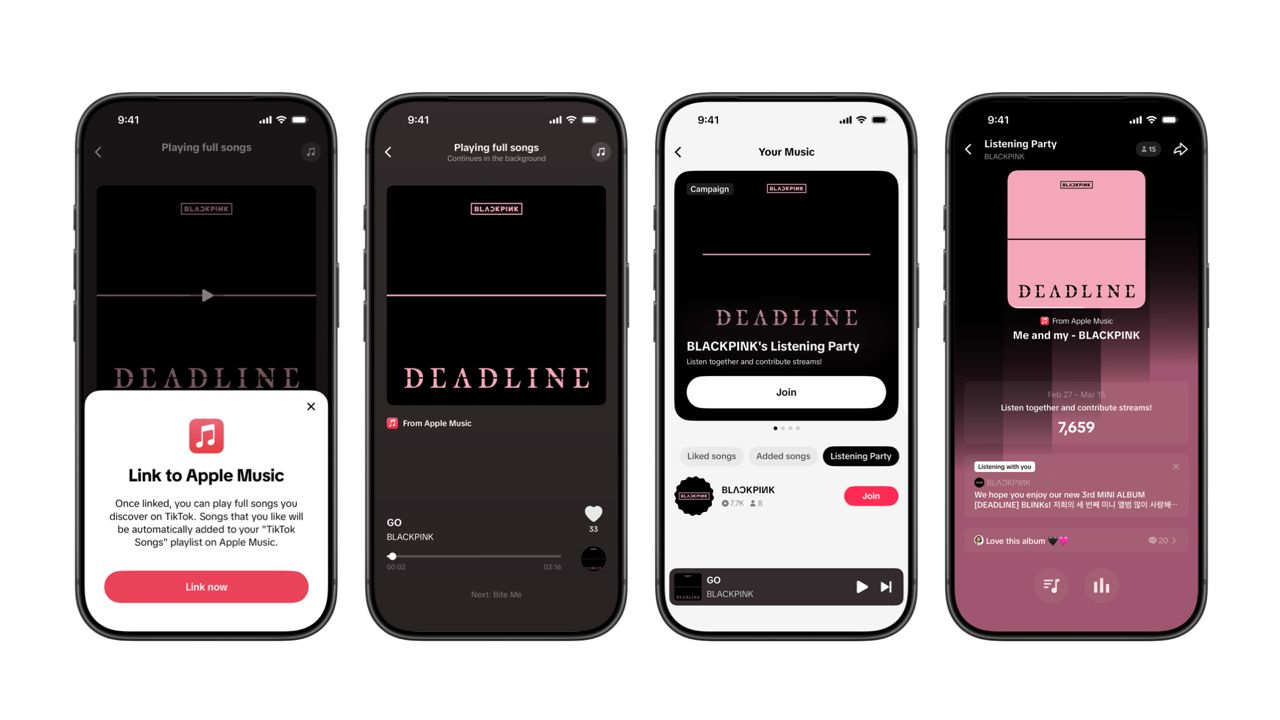
Ever came across a viral 15 or 30-second music snippet on TikTok that instantly became your jam on repeat?
For years, TikTok has been a regular source of songs that have become part of our playlists. And together with Apple Music, listening to the music you discover has just gotten even easier.
That’s through Play Full Song, a new music discovery experience, which launches exclusively though Apple Music.
With the new feature, Apple Music subscribers can now enjoy full-length tracks that they discover on TikTok. That’s without ever leaving that popular streaming app.
Fans who discover a song that they love on their For You or Sound Detail page can simply tap the Play Full Song button to open up an Apple Music player and enjoy the song in its entirety.
From there, subscribers can continue listening to a personalized stream of recommended songs. That means no more need to switch apps and search separately.
The new Play Full Song experience helps music fans move seamlessly from the moment of discovery to deeper listening. It’s also designed to be instant and all within the same environment.
Moreover, users can also save their favorite songs to Your Music and add them directly to their Apple Music playlists.
Built using Apple’s MusicKit, full-length song playback takes place on Apple Music. This way, streams are paid within the Apple Music service, supporting artists and rights holders while giving fans a smooth, uninterrupted experience.
Listening Party also launched
The feature builds on the success of TikTok’s Add to Music App. This was previously launched to help artists and fans convert discovery on TikTok to a playlist save in Apple Music and other streaming services.
To cap the announcement, TikTok and Apple Music are also introducing Listening Party. This new feature is designed to bring artists and fans together around music.
It creates a shared environment where fans can listen to songs from their favorite artists in real time, interact with each her, and engage directly with the artist during the session.





Now Playing: Hoppers

Jackery SolarSaga series: Free power for small devices

UGREEN adds new Nexode Pro power bank, charger to lineup

nubia to launch new Neo 5 series gaming phones on March 28

SHINOBI: Art of Vengeance’s SEGA Villains Stage out on April 3


-

 Reviews5 days ago
POCO X8 Pro Max review: A new beast from the far east
-

 News5 days ago
POCO X8 Pro Series: Price, availability in the Philippines
-

 Laptops2 weeks ago
Apple MacBook Neo Review
-

 Computers2 weeks ago
GIGABYTE collaborates with Capcom for RE Requiem custom PC
-

 Apps1 week ago
Google Maps is finally getting a 3D mode
-

 Entertainment2 weeks ago
The internet is thirsting over the One Piece Season 2 cast
-

 Features1 week ago
Galaxy AI on the Samsung Galaxy S26 Ultra
-

 Automotive2 weeks ago
BYD is reportedly considering an F1 team