


No, this is not another OPPO hands-on, but we can’t blame you for thinking that it is. Realme, the offspring of OPPO, has just opened up to more Asian markets and they’re pushing their own entry-level device to penetrate the smartphone market.
This is the Realme C1, the identical twin of OPPO A3s. Side by side, it’s hard to tell them apart aside from the brand logos. Is the Realme C1 any different? Let’s find out.
It has a 6.2-inch HD+ display

It’s got a notch, too
The power/lock button is on the right side

It’s unresponsive at times
The volume buttons are on the left…

They get the job done
… along with the triple-card slot

Put in your microSD and SIM cards at the same time
The bottom is packed with the micro-USB and audio ports

As well as the loudspeaker and microphone
The phone’s back is pretty boring

Even the blue variant doesn’t stand out
There’s nothing special about it
To be honest, the Realme C1 felt plain when I first saw it in its box. It’s probably because I got spoiled by all the special patterns and gradients on other phones. The unit I mainly used is the blue one, but I’d suggest the black model more because of its understated look. The black bezels kind of ruin the blue hue for me.

Since the display just has an HD+ resolution, it’s not as sharp as other pricier phones. Good thing the panel is bright enough to be used outdoors; it also produces lively colors and has Gorilla Glass 3 for protection. The notch on top is unnecessarily wider than usual, but no one should expect a sexy phone in this segment.
What I find to be so-so is the phone’s loudspeaker. It sounds tinny and doesn’t get loud even when I’m alone in a small room.
Overall, the phone looks and feels pretty basic, and that’s not necessarily a bad thing. With all the attractive phones coming out, it’s nice to have a no-frills budget option. That being said, there’s nothing much to write home about the Realme C1’s design aside from that it has a shiny plastic exterior.
Limited memory is a bottleneck
The big question about budget phones is how well they perform. With a Snapdragon 450 processor at the helm, the Realme C1 is able to run the latest apps. The loading times are a bit slower than I’m used to, but there are no general performance issues.

It can’t keep apps always running in the background, though. The phone only has 2GB of memory which is already a minimal amount for Android. The 16GB internal storage gets filled up easily too, so be sure to put in a microSD card.
Of course, ColorOS 5.2 still mimics the look and feel of iOS even though it’s just based on Android Oreo. Personally, I have some issues with ColorOS’ tweaks mainly in the notification system. It takes away the good elements of Android instead of improving it, which is what others are doing.

Gaming-wise, the Realme C1 is capable of running any game I play, but not in their best graphics settings. Asphalt 9: Legends, for example, runs okay but its visual quality is toned down. PUBG Mobile and Mobile Legends: Bang Bang are definitely playable, albeit in low to medium settings.
Decent photos for a budget phone
When buying a cheap phone, one shouldn’t expect its cameras to excel. Well, the Realme C1’s shooters are not great, but they are surprisingly okay. Equipped with a 13-megapixel f/2.2 rear camera and a 2-megapixel depth sensor, this phone can take decent pictures in daylight. It also has a 5-megapixel selfie camera with an AI beautification feature.
Check out these samples:




-

- Portrait Mode
-

- Beauty Selfie
I can’t say that it has the best camera in its class, but the quality of the photos taken by the Realme C1 are worthy enough to be used for your social accounts. You can always enhance them using popular photo editing apps from the Play Store.
Is this your GadgetMatch?
The Realme C1 is not a perfect smartphone. It’s not meant to compete with the best of the bunch, but it’s made to entice people looking for a cheap phone. Also, this is basically an OPPO A3s offered at an even cheaper price.
For someone who is looking to upgrade from a feature phone or in need of a secondary device for work-related use, the Realme C1 is a great choice. It practically sits next to the Xiaomi Redmi 5A as the best budget phone around.

The Realme C1 is currently available in select markets in Asia for around US$ 110 when converted. You can get it in India for INR 8,990, PhP 5,990 in the Philippines, IDR 1,499,000 in Indonesia, THB 3,990 in Thailand, VND 2,490,000 in Vietnam, and MYR 449 in Malaysia.
Realme is new to the market and they’re pretty aggressive in offering discounts through their official online channels, so you might even get it cheaper during sale events.









Moving into a new space comes with a long list of things to figure out, and lately, I’ve been paying more attention to something that’s easy to overlook: air quality.
After using the LG AeroMini for about a month, it has become a subtle but welcome addition to my space. It helps make the room feel fresher, while its compact and stylish design fits naturally into my setup. Here are the things that stood out to me most after living with it for a month.
360° purification for a fresher space
One of the things I appreciate about the AeroMini is its 360° air purification, designed to bring purified air in every direction.
For me, this is particularly useful in a new space where I’m spending a lot of time working, relaxing, and just settling in.

Combined with its True HEPA filter, which is designed to remove 99.999% of 0.01μm fine dust and allergens, it gives me added peace of mind about the air I’m breathing every day.
After a month, I can genuinely say that the space feels fresher with it running.

Surprisingly quiet
This is probably my favorite feature.
The LG AeroMini operates at just 26dB, and after using it for a month, what stands out is how easy it is to forget that it’s even running.

I can have it running while I’m working or sleeping without the noise becoming a distraction. For an appliance that’s designed to continuously improve the air around you, I think that’s a big deal.
Sometimes, the best feature is the one you barely notice.
Design that fits my space
Since I recently moved, I’ve been pretty conscious about what I bring into the space. I want things to be functional, but I also don’t want appliances that feel like they’re taking over the room.

The AeroMini’s slim and compact design makes it easy to incorporate into my setup. It doesn’t feel bulky or industrial, and I like that I can leave it out without feeling like I need to hide it away.
For me, that balance between functionality and aesthetics makes it feel more like part of the space rather than just another appliance.
Air quality at a glance
Another feature I’ve found convenient is its Smart Control. Through the app, I can monitor and control the AeroMini while getting real-time updates on the indoor air quality.
It’s a small convenience, but being able to check the air quality without having to interact with the purifier directly makes it easier to keep track of what’s happening in the room.

Easy to maintain
I also appreciate that the AeroMini is designed with an all-in-one dust and deodorization filter that makes replacement and maintenance easier.
That matters to me because the best home gadgets are the ones that don’t create another complicated chore. I want something I can set up, use regularly, and maintain without too much fuss.

After a month, would I keep it?
Yes, and mainly because it quietly fits into my everyday routine.
The LG AeroMini has helped make my new space feel fresher and more comfortable, while its compact design means it doesn’t compromise the look of the room. But if I had to pick just one thing I appreciate most, it’s still how incredibly quiet it is.

It’s one of those upgrades that doesn’t demand your attention. It simply works in the background.
If you’re also looking to make your home a fresher and more comfortable space for yourself and your family, visit https://www.lg.com/ph/ to learn more about the LG AeroMini and how it can fit into your everyday life.
Hands-On
Apple iPhone 18 Pro Series Hands-on
And everything announced during Apple’s September 2026 Event


The latest Apple event isn’t just about the shiny new Apple Duo. There’s a lot to talk about!
In this video, we break down everything Apple has announced during their September 2026 keynote.
First, there’s the updated iPhone 18 Pro and 18 Pro Max. That’s alongside their design and color changes, battery and performance improvements. Even that massive camera upgrade.
There’s even the ANC-infused AirPods 5 alongside the newer Apple Watch Series 12 and Apple Watch Ultra 4. Plus, the latest software updates coming to both these wearables.
So, are these worth the upgrade?

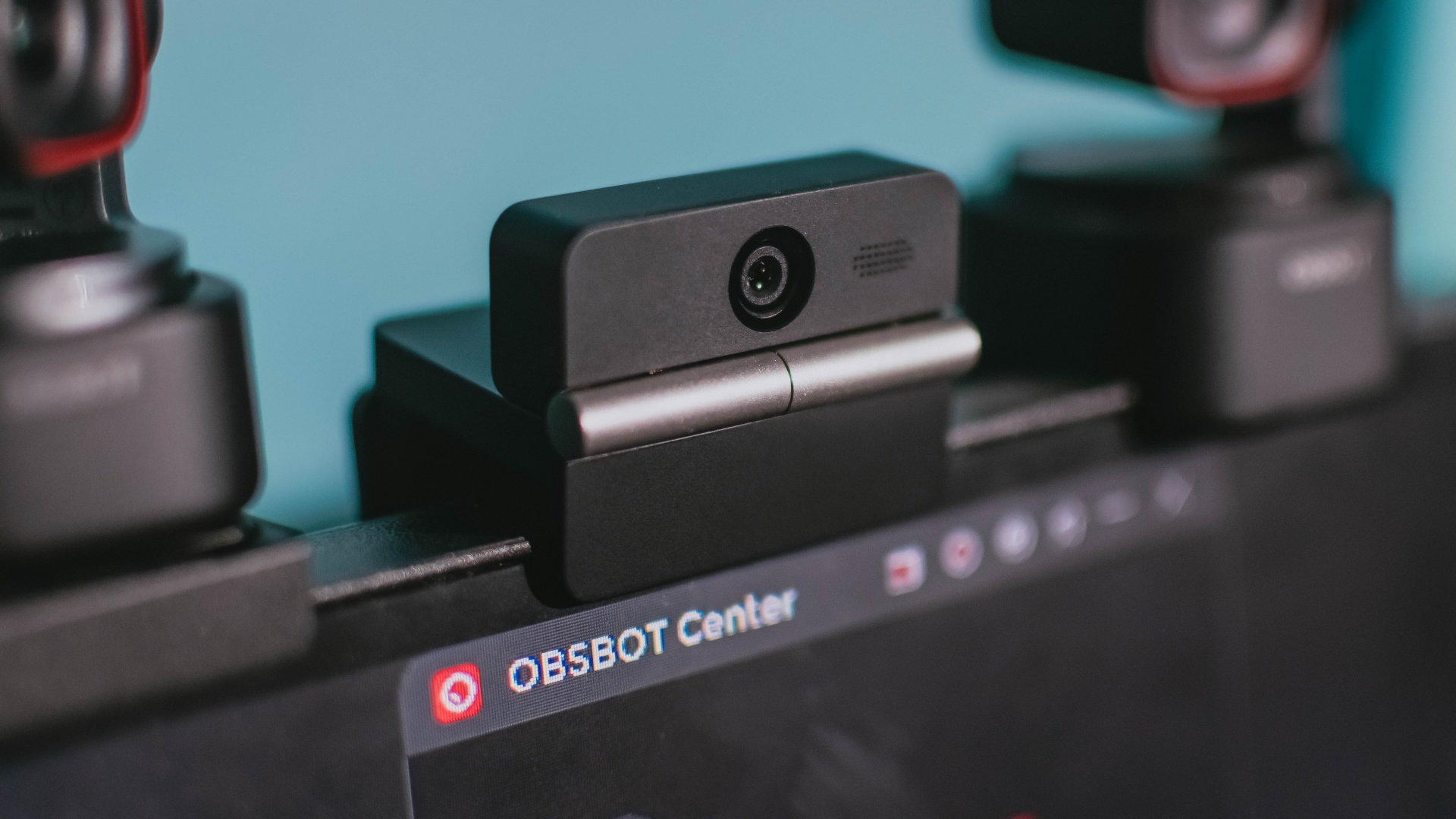
Phones flip and fold. Now webcams do too.
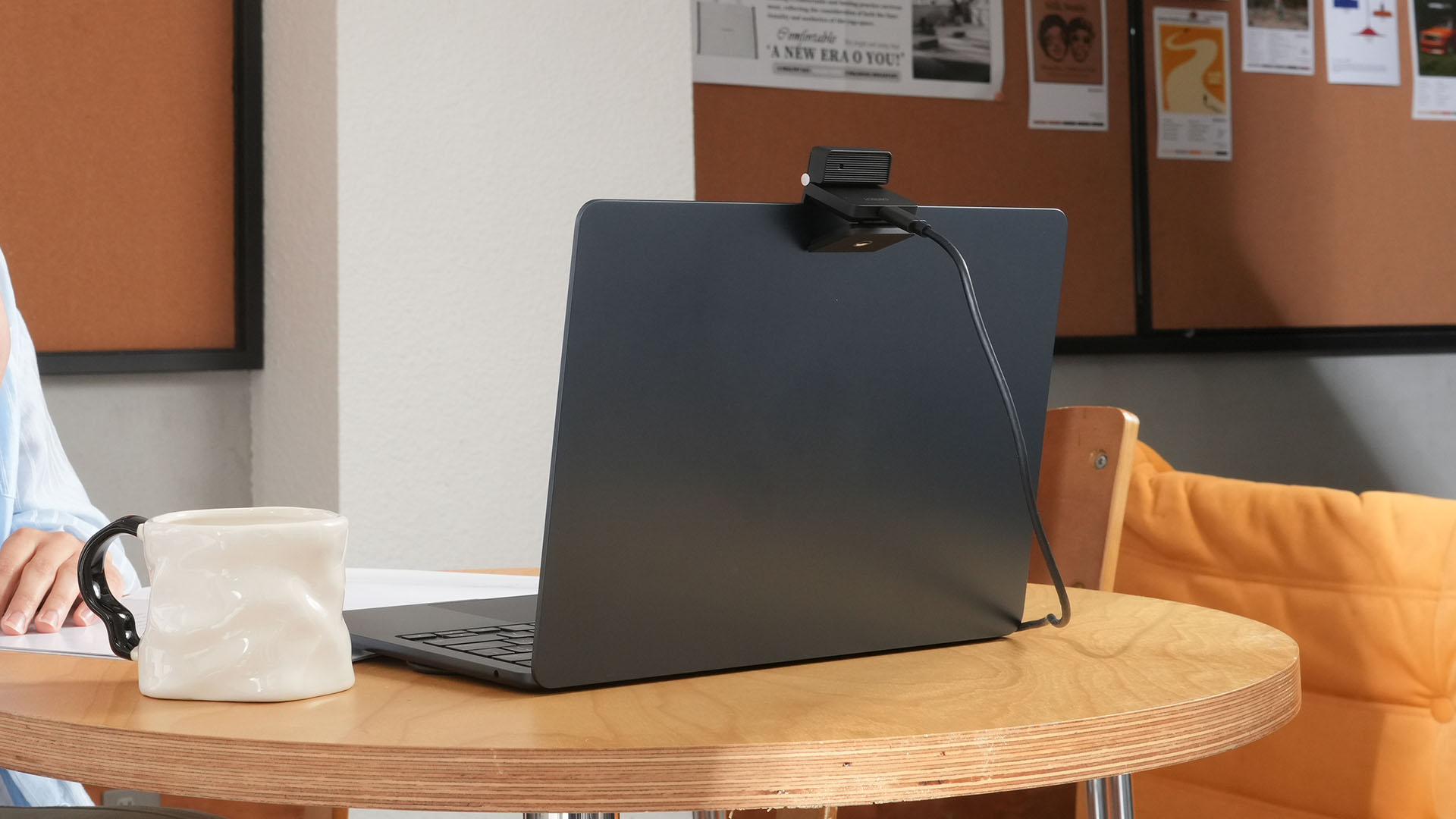
Foldable screens have found their way into phones, tablets, and laptops in recent years. Now, OBSBOT is taking that idea in a considerably smaller direction: the webcam.
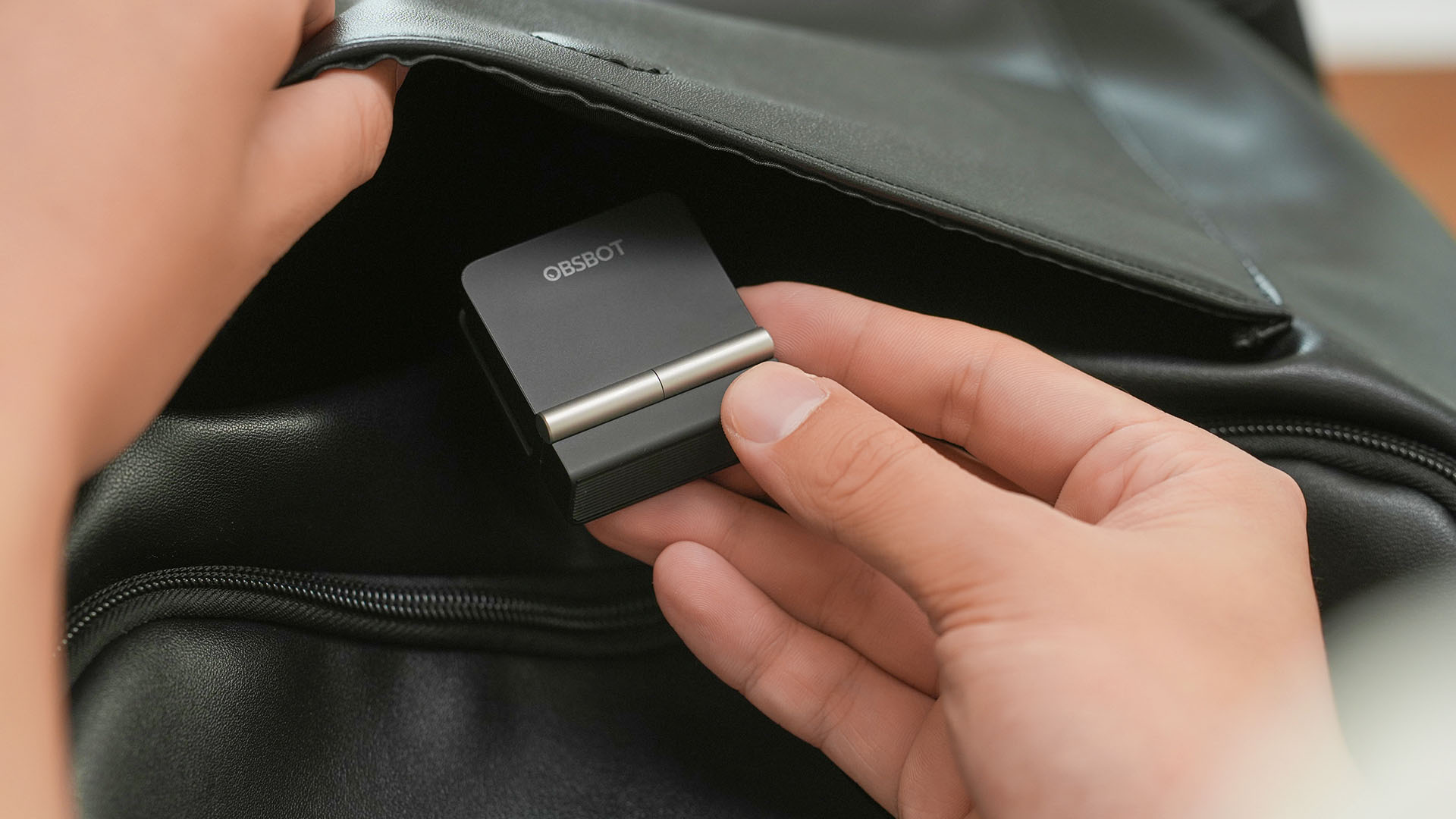
The OBSBOT Meet Flip is the company’s first foldable 4K webcam packing:
- 1/2-inch stacked CMOS sensor
- intelligent audio
- a collection of AI-powered meeting tools
All of these inside a body weighing just 37.7 grams.
A fold that does something, not just a gimmick
The OBSBOT Meet Flip isn’t foldable just to make it easier to throw into a bag.
Closing the webcam physically blocks the lens and puts the device into sleep mode. Open it when you want to be seen, flip it shut when you don’t.
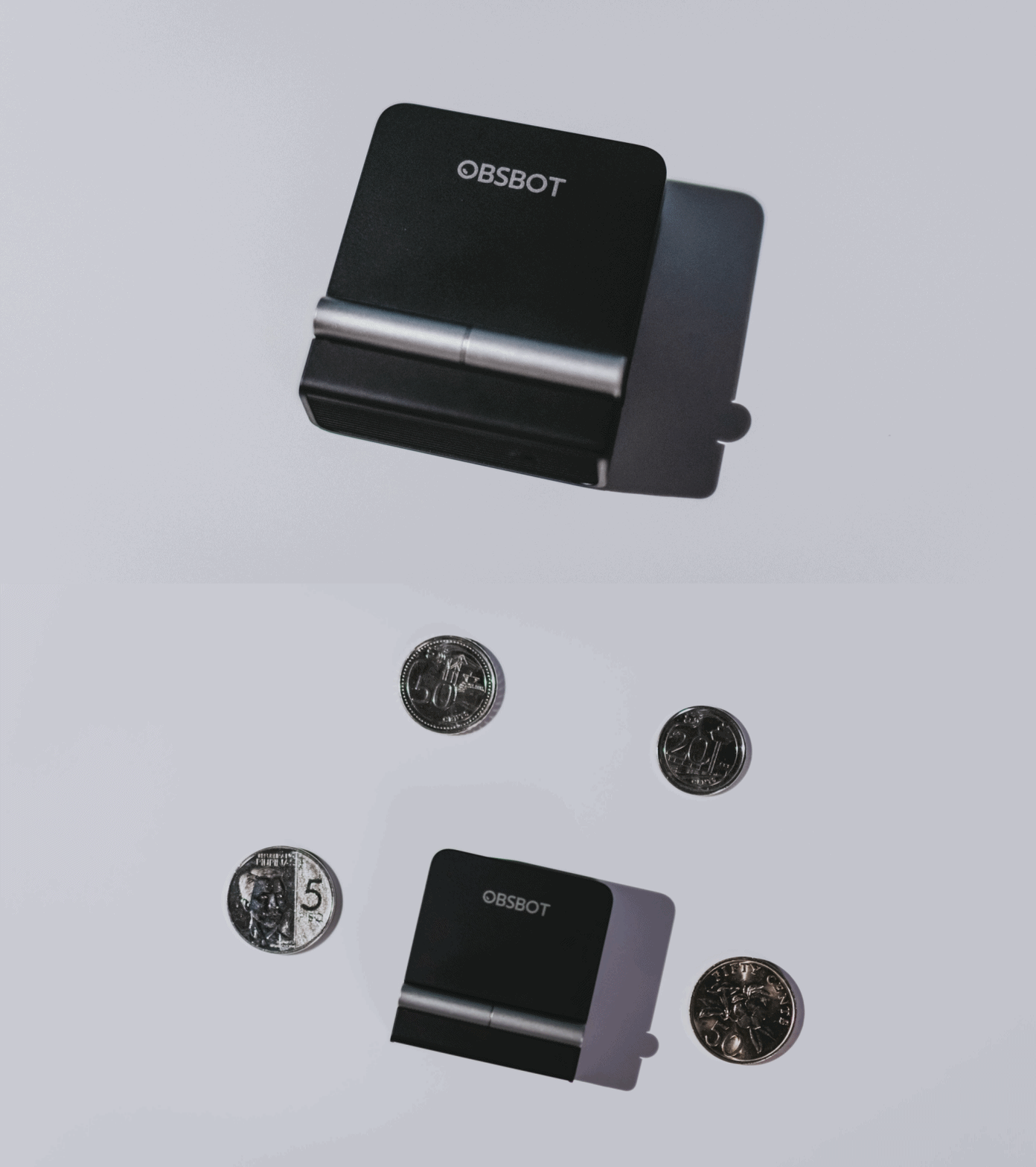
A physical privacy cover isn’t novel in itself. What’s clever here is how it’s part of the folding design.
As someone with a love-hate relationship with data privacy, I almost always keep some physical barrier over my laptop webcam. And if I can avoid having a webcam there entirely, even better.
Serious camera hardware in a pocket-sized webcam
Despite its size, OBSBOT hasn’t treated the Meet Flip like a basic laptop-camera replacement.
Inside is a 1/2-inch Exmor RS stacked CMOS sensor with Quad Bayer technology, capable of recording 4K UHD at 30 fps or 1080p at 60 fps. It also packs an f/1.8 aperture, HDR, PDAF autofocus, ISO 100–6400, and up to 4x digital zoom.
At its core is a 1/2-inch Exmor RS stacked CMOS sensor with Quad Bayer technology.
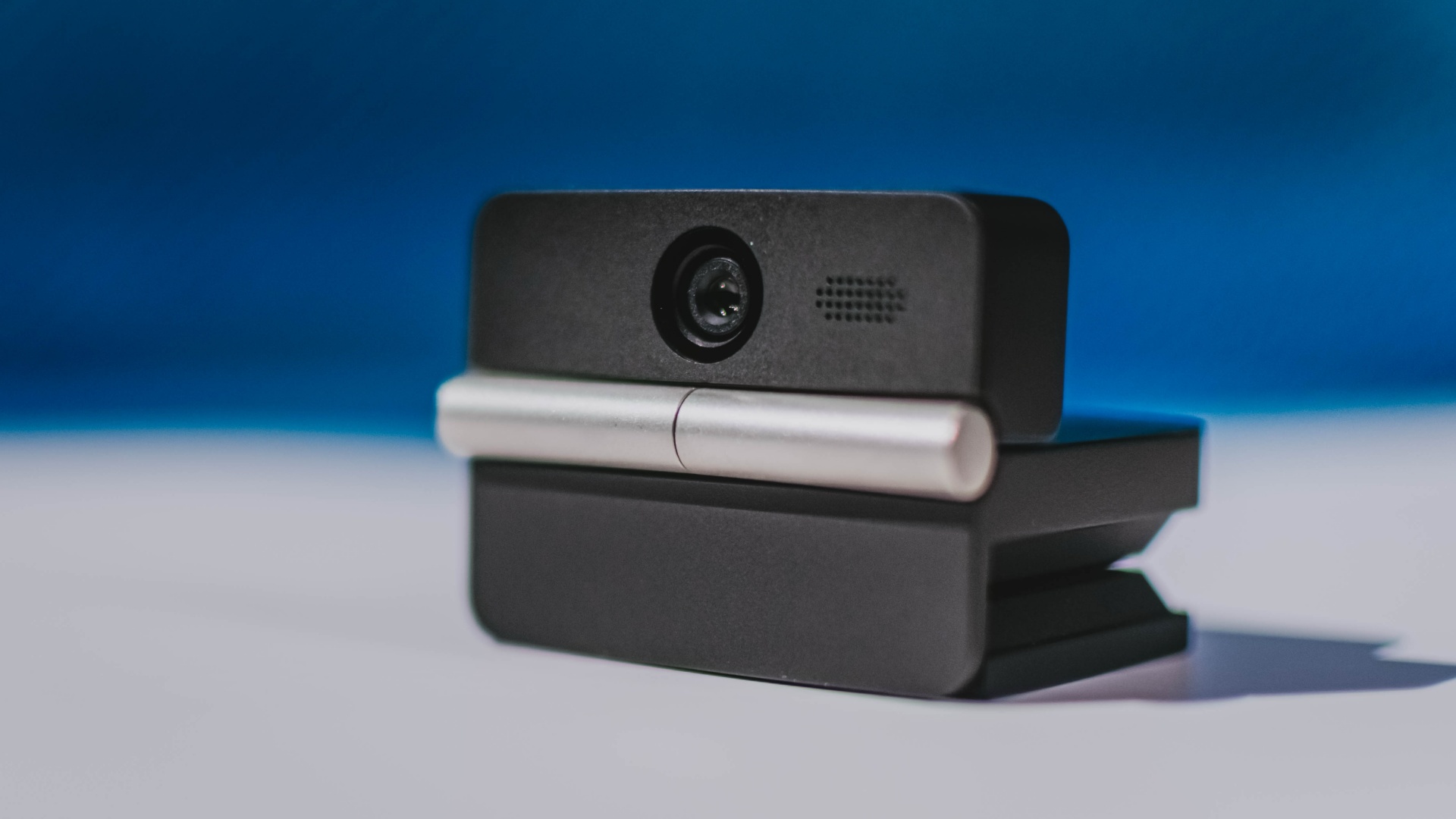
It can record:
- 4K UHD at 30fps
- 1080p at 60fps
You also get:
- f/1.8 aperture
- HDR
- PDAF autofocus
- ISO 100–6400
- up to 4x digital zoom
On paper, that gives the Meet Flip a better shot at handling the situations built-in laptop webcams often struggle with: dim rooms, harsh backlighting, changing lighting conditions, or simply moving around in front of the camera.
HDR helps keep faces visible against bright backgrounds, while PDAF autofocus continuously adjusts focus as you move closer to or farther from the lens.
The wider f/1.8 aperture should also help in less-than-ideal lighting.
The point is that once the Meet Flip is set up, you shouldn’t have to spend much time thinking about the camera itself.
It listens differently depending on the room setup
The Meet Flip also uses an intelligent dual-microphone system combining omnidirectional and directional microphones.
Instead of relying on one pickup pattern for every situation, it offers four audio modes for different setups:
Directional Mode focuses on sound coming from the front, making it the obvious choice for solo calls.
Dual-Directional Mode listens to both the front and rear of the webcam, which could be useful for interviews or conversations between two people sitting across from each other.

Smart Omni Mode is designed for group meetings, picking up voices from around the room.
And Pure Audio Mode provides unprocessed left and right stereo channels for users who would rather handle the audio themselves in post-production.
Auto Gain and AI Noise Reduction also work across the first three modes, helping clean up audio without requiring much manual adjustment.
It gives the Meet Flip more flexibility than a typical webcam microphone, especially if you regularly switch between solo calls, interviews, and group meetings.
AI that doesn’t intrude
AI has become an almost obligatory addition to new hardware in 2026, but several of the Meet Flip’s features put it to work on real-world meeting annoyances.
AI Auto Framing keeps you in frame, with options for:
- Group
- Single Close-up
- Upper Body
- Full Body
Gesture controls can also toggle Auto Framing or adjust the zoom without reaching for a keyboard or mouse.
More interesting is AI Magic Notes.
Through OBSBOT Center, it provides real-time transcription and can automatically generate meeting summaries with key points, decisions, and action items. It works across Google Meet, Zoom, and Microsoft Teams.
Although AI Magic Notes is offered as a subscription service, every Meet Flip includes 120 complimentary minutes to get started.
MORE with OBSBOT Center & OBSBOT Live
There are plenty of other software features as well. OBSBOT Center includes:
- Background Blur and Background Replacement
- Real-Time Beauty Mode
- Picture-in-Picture overlays
- Smart Eye Tracking
- Teleprompter support
- Detailed image adjustments
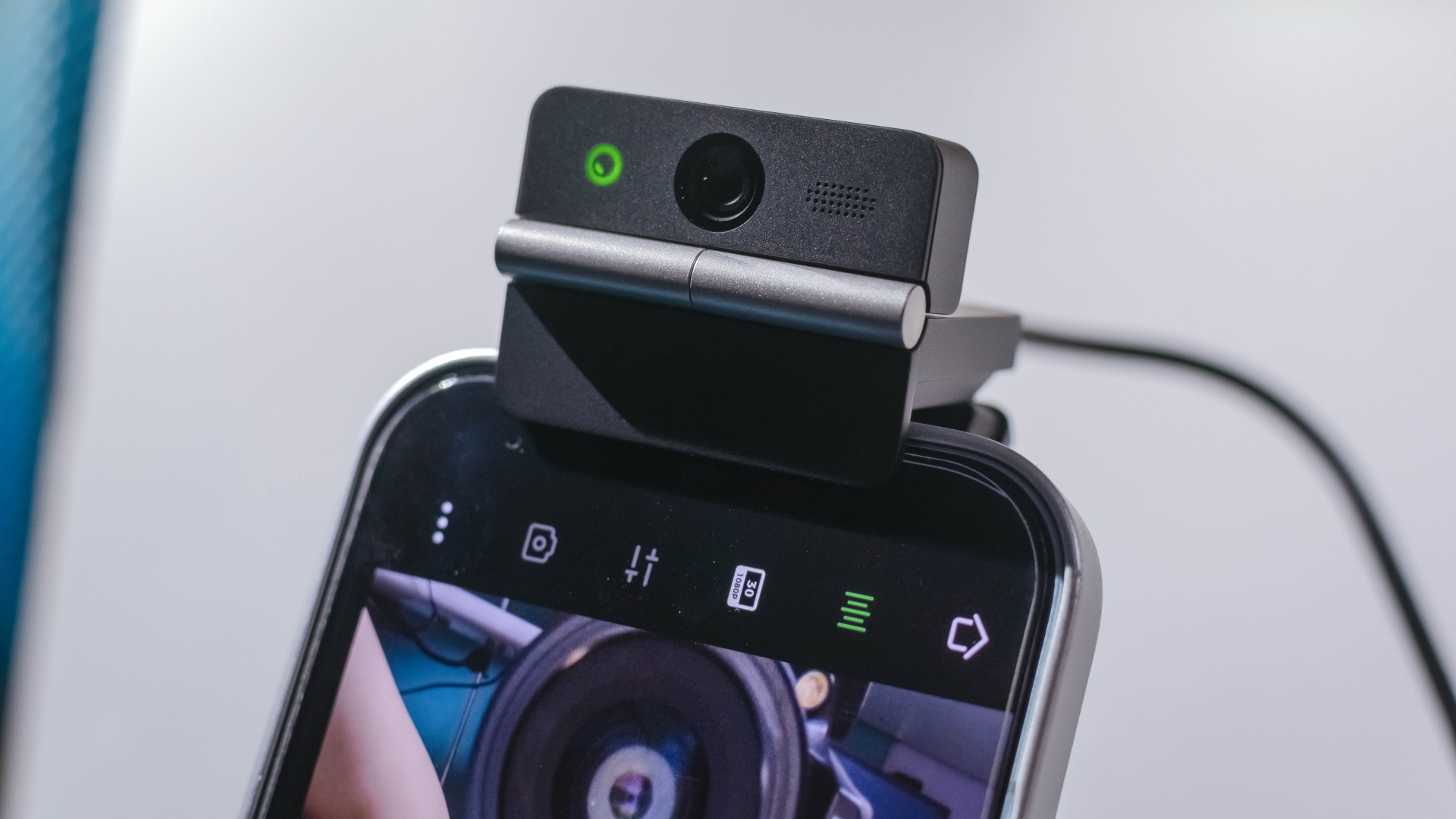
The Meet Flip isn’t limited to laptops or desktops either. Through OBSBOT Live, it can connect directly to smartphones and tablets over USB-C for mobile streaming and content creation.
Flip it open. Fold it away.
None of those features reinvent the webcam on their own.
Taken together, though, they make the Meet Flip a more thoughtful take on a piece of hardware whose basic design and features have barely changed.
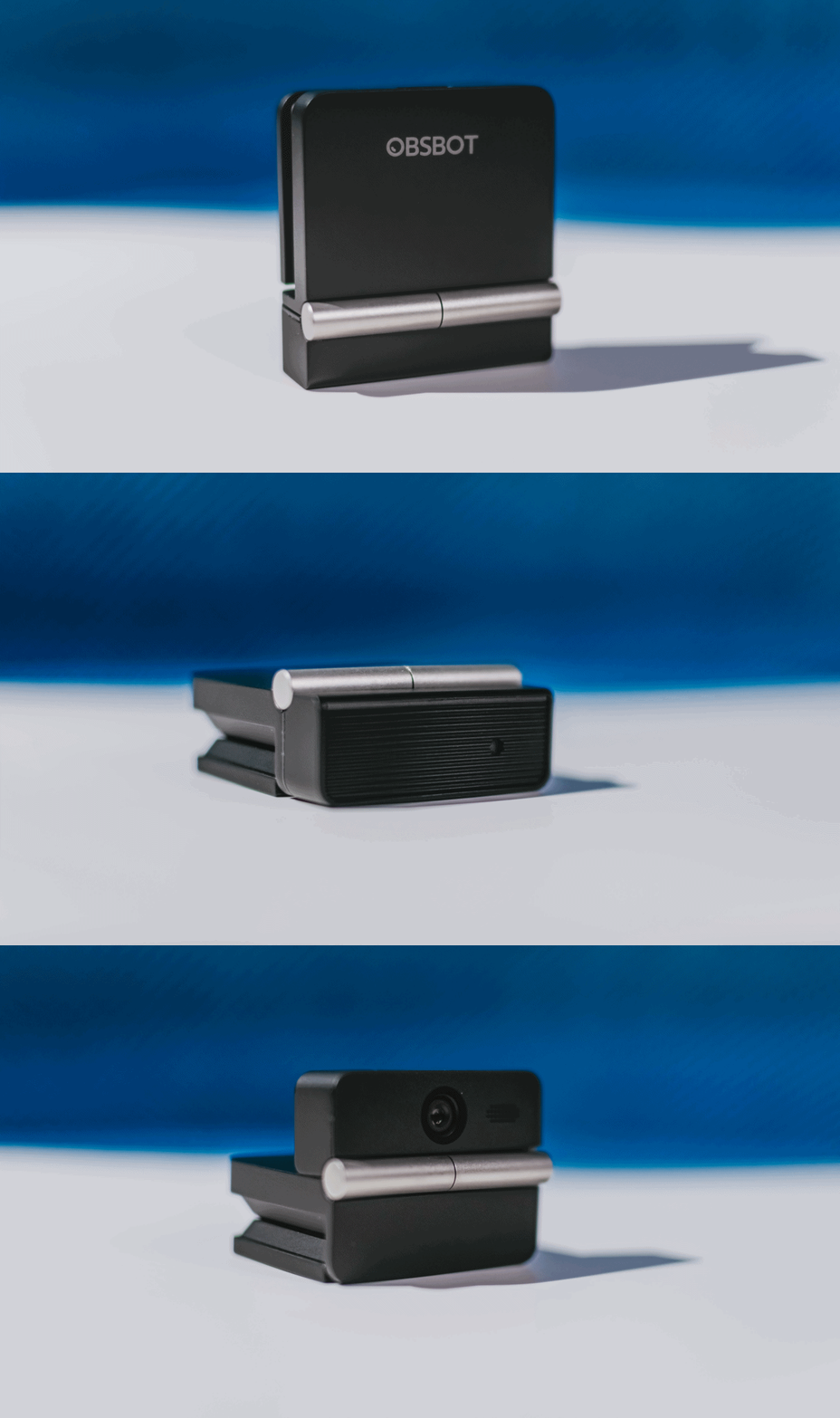
The flip may grab your attention first, but it’s how OBSBOT uses that design alongside its camera, audio, and software features that makes the Meet Flip interesting.
The OBSBOT Meet Flip is now available at US$ 119 and is currently available through OBSBOT’s official store, Amazon US, and select retailers.
&
@gadgetmatchPhones flip. Now webcams do too. 👀 Meet the OBSBOT Meet Flip, a tiny foldable 4K webcam with a lot packed inside. ✨
If you buy one, here’s what you’ll get out of the box!






Now Playing: Whalefall

vivo V80 review: Good phone, tough sell

Apple reveals iPhone Duo’s 4883mAh battery

Lenovo expands Yoga lineup with new AI PCs and tablets

TNT wins gold at SMARTIES Philippines

vivo X500 Series launches with major imaging upgrades

OPPO Find X10 Pro Max is the first phone with a triple 200MP camera system

TECNO CAMON Slim 5G: Price, availability in the Philippines

TECNO CAMON Slim 5G review: Slim on size, big on surprise

HONOR Magic9 Pro Max launches in China with ARRI-powered imaging


-

 News2 weeks ago
OPPO Find X10 Series launches globally October 21
-

 News2 weeks ago
Sony teams up with Hello Kitty for exclusive limited-edition collection
-

 Wearables1 week ago
Garmin Enduro 4 promises up to 320 hours of battery life
-

 Gaming1 week ago
Dragon’s Dogma 2: Dark Arisen launches with new Official Pawns
-

 Deals1 week ago
Score PhP 22,000 in guaranteed freebies when you pre-order the iPhone 18 Pro at Beyond the Box
-

 News4 days ago
vivo V80 debuts with ZEISS cameras
-

 Wearables1 week ago
Garmin Approach S72 brings swing metrics, green reading to your wrist
-

 Gaming2 weeks ago
FFVII Revelation: 11 things you missed